
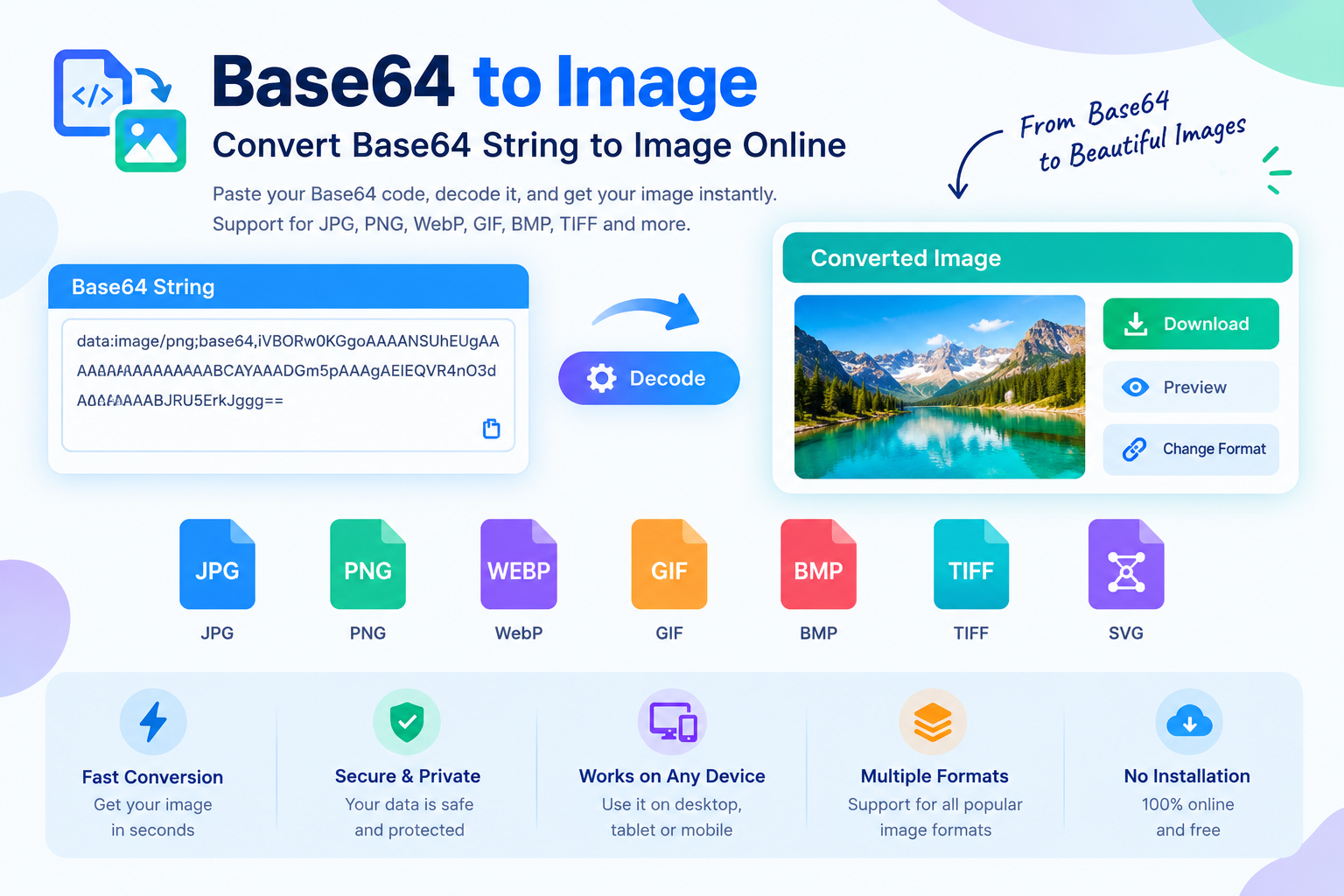
Base64 to Image – Convert Base64 String to Image Online
Base64 to Image is an online tool that converts a Base64-encoded string back into a viewable image file. If you have an image stored as Base64 text, a Data URI, or an encoded image value inside HTML, CSS, JavaScript, JSON, an API response, or a database, you can use a Base64 to Image converter to decode it and save the original image in a usable format.
Instead of manually handling long encoded strings, you can paste your Base64 data into the converter and turn it into an image that you can preview, download, or use in another project.
A Base64 image converter is especially useful for web developers, software engineers, designers, API users, testers, and anyone working with image data that is represented as text.
What Is Base64?
Base64 is an encoding method that represents binary data using text characters. Since images are binary files, they cannot always be transferred or stored directly in systems that primarily work with text. Base64 provides a convenient way to represent that binary information as a text string.
A Base64-encoded image may look like a long sequence of characters such as:
iVBORw0KGgoAAAANSUhEUgAA...
When the encoded image is used as a Data URI, it commonly starts with information describing the image type:
data:image/png;base64,iVBORw0KGgoAAAANSUhEUg...
The portion before the comma identifies the media type and encoding, while the content after base64, contains the encoded image data.
A Base64 to Image converter reverses this process. It decodes the Base64 string and reconstructs the image data so that it can be displayed or downloaded as an image file.
What Is a Base64 to Image Converter?
A Base64 to Image converter is a tool that decodes Base64 image data into an actual image file.
You may receive Base64 image data from an API, web application, database, browser developer tools, HTML source code, JavaScript application, or another software system. Reading a long Base64 string manually is difficult because it is not visually recognizable as an image.
A Base64 image decoder makes this process easier.
Simply provide the Base64 string, and the converter can identify the encoded image data, decode it, generate an image preview, and allow you to save the resulting file.
Depending on the original data, the decoded image may be PNG, JPG, JPEG, GIF, WebP, SVG, BMP, or another supported image format.
How Does Base64 to Image Conversion Work?
The conversion process is essentially the reverse of Base64 encoding.
An original image consists of binary data. Base64 encoding converts that binary data into a text representation. When you decode the Base64 value, the original binary information is reconstructed.
The basic process looks like this:
Image file → Binary data → Base64 encoding → Base64 string
The reverse process is:
Base64 string → Base64 decoding → Binary image data → Image file
If the Base64 string contains a Data URI prefix, the converter can also use the MIME type to determine what type of content is being decoded.
For example, a string beginning with:
data:image/png;base64,
indicates that the encoded data represents a PNG image.
Similarly:
data:image/jpeg;base64,
indicates a JPEG image.
The converter processes the encoded portion and creates the corresponding image data.
How to Convert Base64 to Image Online
Converting Base64 to an image does not need complicated software or programming knowledge. An online Base64 to Image tool can simplify the entire process.
Start by copying your Base64-encoded image string.
Paste the Base64 string into the Base64 to Image converter.
The tool processes the encoded data and decodes it.
If the Base64 data is valid, an image preview can be generated.
You can then download the decoded image and use it in your website, application, design project, documentation, testing workflow, or development environment.
If your string includes a prefix such as data:image/png;base64,, you can usually paste the complete value directly into the tool.
Base64 Data URI vs Base64 Image String
A common source of confusion is the difference between a Base64 image string and a complete Data URI.
A Data URI can contain information such as the media type, encoding method, and the actual encoded data.
For example:
data:image/png;base64,ENCODED_DATA
Here, data:image/png identifies the content as a PNG image, base64 identifies the encoding method, and everything after the comma represents the encoded image data.
A raw Base64 image string may contain only the encoded portion:
ENCODED_DATA
A good Base64 to Image converter should be able to handle the common formats users encounter in real development environments.
Why Convert Base64 to Image?
Base64 is useful for storing and transferring image information, but it is not always convenient for everyday use.
A Base64 string can be extremely long and difficult to inspect. You cannot easily open a long text string in an image viewer or image editor.
Converting Base64 to an image provides several practical benefits.
You can visually inspect the decoded image.
You can download the image as a normal file.
You can identify whether the Base64 data is valid.
You can recover an image received from an API.
You can troubleshoot images embedded in HTML or CSS.
You can test Base64 image data during development.
You can convert encoded image content into a file that can be opened by standard image software.
For developers, this can save considerable time when debugging image-related issues.
Common Uses of Base64 to Image Conversion
Base64 images are frequently encountered in modern websites, applications, APIs, and development workflows.
Web Development
Developers sometimes embed small images directly into HTML or CSS using Data URIs. This can eliminate the need for a separate image request in certain situations.
If you find a Base64 image inside source code and need to inspect the actual image, a Base64 decoder can turn it back into a normal image.
API Testing
Some APIs return images as Base64 strings instead of traditional image URLs or binary responses.
When testing an API response, developers can copy the encoded image data and decode it to verify that the API is returning the expected content.
JSON Data
Image information is sometimes included inside JSON responses as Base64-encoded data.
For example, an API may return an object containing an image property with a long Base64 value. Converting that value to an image makes it much easier to verify the returned content.
Database Applications
Some applications store image data in encoded form or return Base64 representations from database queries.
A Base64 to Image converter can help developers inspect that data without building a complete application around it.
QR Codes and Generated Images
Some APIs and online services return generated graphics, QR codes, charts, or other visual assets as Base64 data.
Decoding the value allows you to retrieve the generated image.
Debugging
Base64 conversion is also useful when debugging front-end applications.
If an image does not appear correctly in a website but the source code contains a Base64 value, decoding the value can help determine whether the problem is with the image itself, the encoding, or the way the application handles the data.
Base64 to PNG
PNG is one of the most common formats encountered when working with Base64 image data.
PNG supports transparency and lossless compression, making it useful for logos, icons, screenshots, illustrations, interface graphics, and other images where preserving visual details is important.
If your Base64 data represents a PNG image, a Base64 to Image converter can decode it and allow you to save the resulting PNG file.
A Data URI for PNG commonly starts with:
data:image/png;base64,
Base64 to JPG or JPEG
JPEG is another widely used image format.
JPEG is commonly used for photographs and images where a smaller file size is more important than lossless quality.
A JPEG Base64 Data URI commonly starts with:
data:image/jpeg;base64,
If you receive a JPEG image encoded in Base64, decoding it allows you to recover the image as a normal JPEG file.
Base64 to WebP
WebP is a modern image format designed to provide efficient compression while maintaining good visual quality.
Web applications frequently use WebP to reduce image file sizes and improve page performance.
A Base64-encoded WebP image can be decoded back into a WebP image file using a suitable Base64 image decoder.
This can be especially helpful when debugging modern websites or working with image-processing APIs.
Base64 to GIF
GIF images can also be represented using Base64.
Animated GIFs require special handling because they may contain multiple frames rather than a single static image. Whether animation is preserved depends on how the converter processes the decoded data.
For a valid Base64-encoded GIF, decoding the data reconstructs the original GIF file.
Base64 to SVG
SVG is different from raster formats such as PNG and JPG because it is a vector image format based on XML.
An SVG can also be represented as Base64 data, especially when embedded inside HTML, CSS, or Data URIs.
If you have Base64-encoded SVG content, decoding it can recover the original SVG data for further use or inspection.
Always be careful when opening SVG files from untrusted sources because SVG can contain active or embedded content.
Is Base64 the Same as Encryption?
No. Base64 is encoding, not encryption.
This is an important distinction.
Base64 does not provide confidentiality or password protection. Anyone who has the Base64 string can generally decode it back into the original data.
For example, encoding an image with Base64 does not make the image private or secure.
If sensitive information needs to be protected, proper encryption should be used instead of Base64 encoding.
Base64 is primarily designed to represent binary data in a text-compatible format.
Does Base64 Reduce Image Size?
Generally, Base64 encoding does not reduce image size. In fact, Base64 representation usually makes the data larger than the original binary file.
This is because binary data is converted into text characters.
Therefore, Base64 should not be confused with image compression.
If your goal is to make an image smaller, use an image compression or optimization tool. If your goal is to convert encoded image data back into an image file, use a Base64 to Image converter.
Base64 to Image for Web Developers
For developers, Base64 decoding can be useful during many stages of website development.
You may encounter Base64 image data while inspecting:
HTML source code
CSS background images
JavaScript variables
JSON API responses
REST API requests
Browser developer tools
Database records
Generated emails
Authentication or verification systems
Image-processing applications
OCR and document-processing APIs
AI-generated image APIs
When a normal image URL is not available, decoding the Base64 value can provide a quick way to inspect the actual image.
Base64 to Image for API Developers
Many APIs exchange images as Base64 because text-based formats such as JSON are widely supported.
For example, an application might send:
{"image":"data:image/png;base64,..."}
Instead of displaying the entire encoded value, developers can decode it and inspect the resulting image.
This is useful when testing image upload APIs, document-processing systems, OCR services, image-generation APIs, and other applications that transfer visual content through JSON.
A Base64 decoder can therefore be a practical debugging utility for API development.
How to Identify a Base64 Image
One easy way to identify a Base64 image is to look for a Data URI prefix.
Common examples include:
data:image/png;base64,
data:image/jpeg;base64,
data:image/gif;base64,
data:image/webp;base64,
data:image/svg+xml;base64,
The prefix can provide useful information about the original image format.
However, not every Base64 string contains a MIME type prefix. Some systems provide only the encoded data, which means additional information may be required to determine the exact original format.
What If the Base64 String Does Not Work?
If a Base64 to Image converter cannot decode your data, several issues may be responsible.
The Base64 string may be incomplete.
Characters may have been removed during copying.
The string may contain invalid characters.
The Data URI may have been incorrectly formatted.
The encoded content may not actually represent an image.
The data may have been truncated by an application, database, URL, or messaging system.
The original image data may be corrupted.
Try copying the complete Base64 value again. If it includes a Data URI prefix, make sure the entire string is included.
Very long Base64 values should also be copied carefully because even a small missing section can prevent successful decoding.
Is an Online Base64 Image Converter Safe?
Security depends on how the particular tool processes your data.
If you are decoding non-sensitive image information, an online converter can be a convenient option.
For confidential documents, private photographs, identity documents, company information, or other sensitive material, it is important to understand how the service handles uploaded or pasted data.
A privacy-focused Base64 to Image tool should minimize unnecessary data collection and should clearly explain its data-handling practices.
Whenever possible, browser-based processing can provide an additional privacy advantage because the image data can potentially be processed locally without being uploaded to a remote server.
Base64 to Image on Mobile
You do not necessarily need a desktop computer to decode Base64 image data.
A browser-based Base64 to Image converter can work on modern smartphones and tablets, provided the device and browser can handle the size of the Base64 string.
This can be useful when a developer receives an encoded image through an API response, message, documentation, or mobile development workflow and needs to inspect it quickly.
Base64 Image Conversion Without Installing Software
One major benefit of an online Base64 to Image tool is that you do not need to install dedicated software.
Traditional image editing applications are designed for editing and manipulating image files. They are not always convenient for decoding a long Base64 string.
An online Base64 decoder focuses on the specific task:
Paste Base64 → Decode → Preview → Download
This makes the process faster for simple conversion and troubleshooting tasks.
Base64 to Image vs Image to Base64
These are two different operations.
Base64 to Image means decoding Base64 data and creating an image file.
Image to Base64 means taking an image file and encoding it into Base64 text.
The two processes are essentially opposites:
Image → Base64 = Encoding
Base64 → Image = Decoding
If you need to embed an image into HTML, CSS, JSON, or another text-based environment, Image to Base64 may be useful.
If you already have encoded image data and want the original image file, Base64 to Image is the appropriate tool.
Benefits of Using a Base64 Image Converter
A dedicated Base64 to Image converter can provide several practical advantages.
Fast Conversion
You can decode image data without manually writing a script.
Easy to Use
A simple paste-and-convert workflow is suitable for both developers and non-technical users.
Image Preview
Previewing the decoded image helps verify whether the Base64 data is valid.
Multiple Image Formats
Support for common formats such as PNG, JPG, GIF, WebP, and SVG makes the tool useful for different development scenarios.
No Software Installation
A browser-based converter eliminates the need to install specialized decoding software.
Useful for Debugging
Developers can quickly inspect encoded images received from APIs and applications.
Convenient Downloads
After decoding, the resulting image can be saved and used as a normal file.
Best Practices When Working With Base64 Images
Always keep the complete Base64 string when copying encoded data.
If possible, preserve the original Data URI prefix.
Do not treat Base64 as encryption.
Avoid exposing sensitive Base64 data publicly.
Use image compression separately if you need smaller files.
For large images, consider whether Base64 is the best storage or transfer method.
When working with APIs, validate the decoded image before storing or displaying it.
For websites, avoid unnecessarily embedding very large images as Base64 because they can increase HTML, CSS, or JavaScript payload sizes.
Frequently Asked Questions
What is Base64 to Image?
Base64 to Image is a conversion process that decodes Base64-encoded image data and turns it back into a normal image file that can be viewed, downloaded, or used in another application.
How do I convert Base64 to an image?
Copy your Base64-encoded image data, paste it into a Base64 to Image converter, decode the string, preview the result, and download the generated image if the data is valid.
Can I convert a Data URI to an image?
Yes. A Data URI containing Base64-encoded image data can generally be decoded into an image file. Common examples include PNG, JPEG, GIF, WebP, and SVG Data URIs.
Can Base64 be converted to PNG?
Yes. If the Base64 data represents a PNG image, decoding it will reconstruct the PNG image data.
Can Base64 be converted to JPG?
Yes. JPEG image data can be represented as Base64 and decoded back into a JPG or JPEG file.
Is Base64 an image format?
No. Base64 is an encoding method. It represents binary data as text. The original data may be an image, document, audio file, or another type of binary content.
Is Base64 secure?
Base64 is not encryption. It does not protect data from being decoded. Anyone with the encoded data can potentially decode it.
Does Base64 improve image quality?
No. Base64 encoding does not improve image quality. It is simply another representation of the same underlying data.
Does Base64 compress images?
No. Base64 is not an image compression method. Base64 encoding usually increases the amount of data compared with the original binary representation.
Why is my Base64 image not decoding?
The Base64 string may be incomplete, corrupted, incorrectly formatted, or may not contain valid image data. Check that you copied the entire string and that no characters were accidentally removed.
Can I decode Base64 images on my phone?
Yes. A browser-based Base64 to Image converter can be used on many modern smartphones and tablets.
What is the difference between Base64 decoding and decryption?
Decoding reverses an encoding process such as Base64. Decryption reverses an encryption process using a cryptographic key. Base64 itself does not provide encryption or confidentiality.
Final Thoughts
Base64 is a practical way to represent binary image data as text, but long encoded strings are difficult to view and work with directly. A Base64 to Image converter solves this problem by decoding the string and reconstructing the original image.
Whether you are debugging an API, inspecting a Data URI, recovering an image from JSON, testing a web application, working with HTML or CSS, or simply trying to view an encoded image, converting Base64 to an image can make the process much easier.
For developers, a reliable Base64 image decoder is a useful addition to a web development toolkit. Instead of manually writing decoding code every time you encounter encoded image data, you can use an online Base64 to Image tool to quickly decode, preview, and save the result.
The most useful workflow is simple: provide the Base64 data, decode it, verify the image, and download the resulting file when needed.

Comments
Leave a Comment